
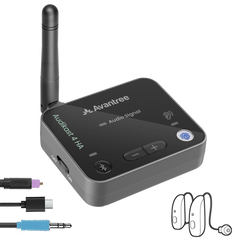

 Audikast 4HA

Step 01
Connect your TV
Choose one audio cable: Optical or AUX. Use an audio OUT port on your TV.
Optical
Recommended

Remove both clear cable tip covers.
Watch Optical video
Plug both ends in fully.
- TV
- OPTICAL / DIGITAL AUDIO OUT
- Audikast 4HA
- OPTICAL
OR
AUX (3.5 mm)
Use AUX if your TV has no Optical OUT.


Watch AUX video
Plug both ends in fully.
- TV
- HEADPHONES / AUX OUT / AUDIO OUT
- Audikast 4HA
- AUX
Only RCA or HDMI ARC/eARC?
RCA AUDIO OUT: Use an RCA-to-3.5 mm adapter and follow the AUX instructions above.
HDMI ARC/eARC: Use the Avantree HAX06 HDMI ARC adapter ↗ and follow the Optical instructions above.
Adapters are separate accessories.
No matching TV output?
Send Support a photo of your TV ports and your TV model.


